Multiwallets in Utapp by Utorg: Manage Multiple Crypto Wallets in One App


Read time 3 min
One crypto wallet can be enough when you’re just getting started. But the more you use crypto, the more likely you’re to want to avoid storing all eggs in one basket.
Maybe you want one wallet for everyday spending, another one for savings, and a third for DeFi and on-chain activities. Until recently, that usually meant using different wallet apps or accounts and constantly switching between them.
Today, we’re launching the multiwallets feature on Utapp, so keeping your crypto stored separately no longer means managing it across different apps and accounts.
What is the multiwallets feature?
Multiwallets lets you have several separate crypto wallets inside Utapp instead of keeping everything in one wallet. Each wallet works independently, with its own recovery phrase, balances, and activity. There’s no single master seed connecting them, so every wallet remains separate from the others.
You can create new wallets directly in Utapp or import ones you already use. Once they’re added, you can switch between them depending on what you want to do, whether that’s spending, holding, swapping, or using DeFi.
How to add multiple wallets to Utapp
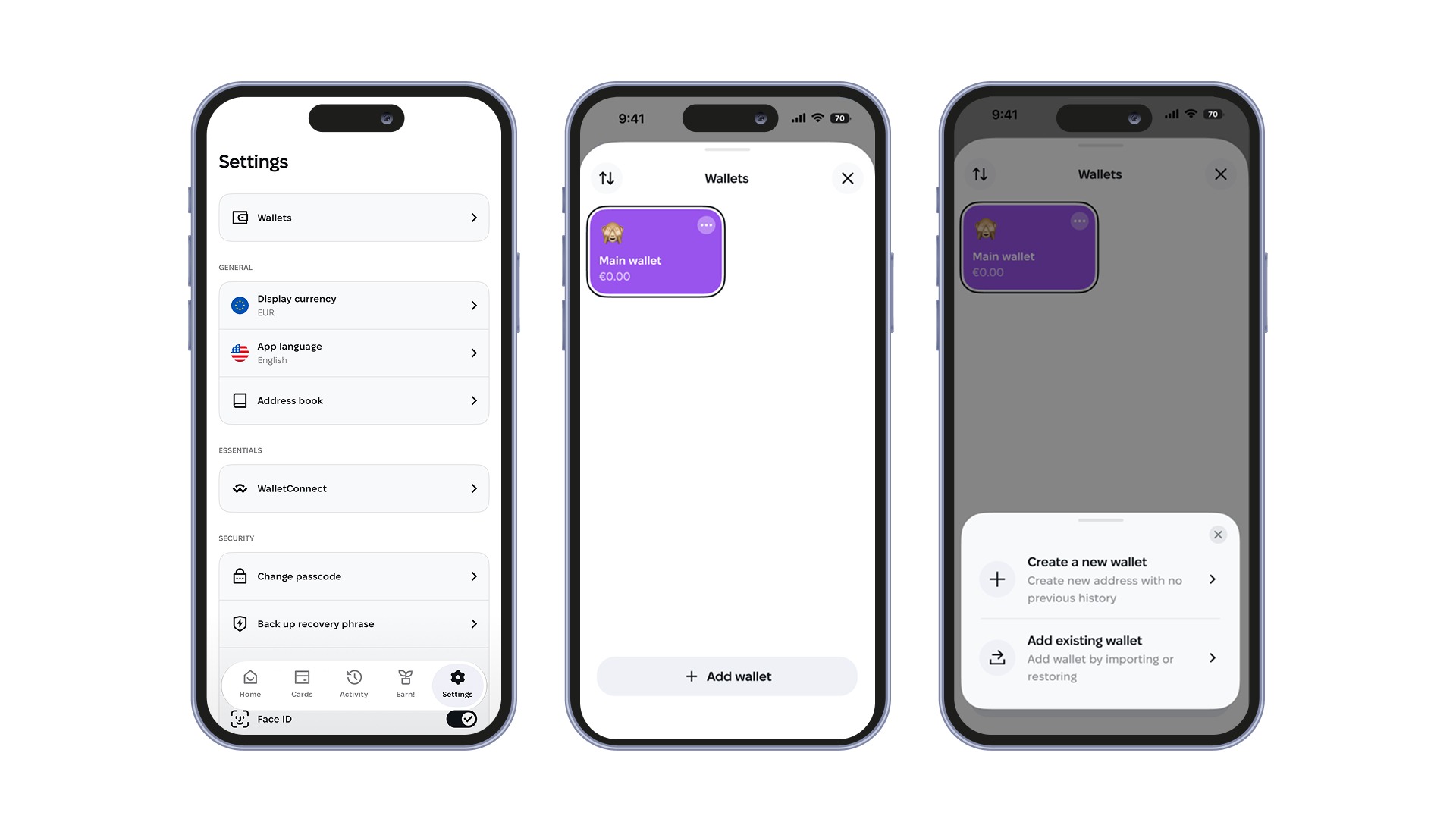
Start by opening your wallet list on the main screen of the app and tapping Add wallet. You may also see the same option in the banner on the home screen and or under Settings → Wallets. From there, you can either create a new wallet or plug in one you already have .
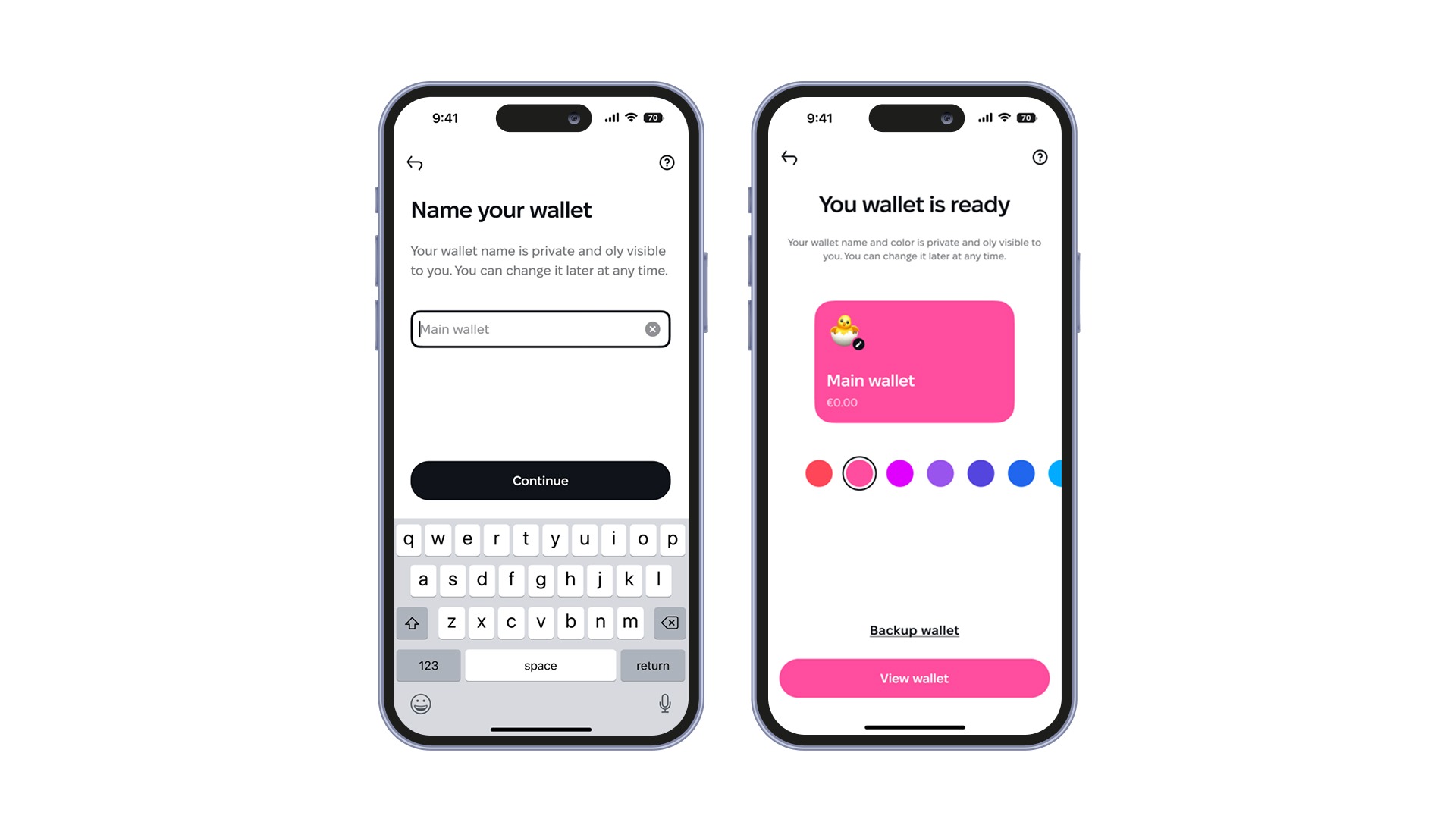
If you tap on the Create new wallet button, Utapp will ask you to confirm the action with your PIN or biometrics. It will then generate a new 12-word recovery phrase. After that, you can name the wallet , choose a color and emoji, and decide whether you want to back it up right away or return to that later. Once you finish, the wallet is added to your list and is ready to use.
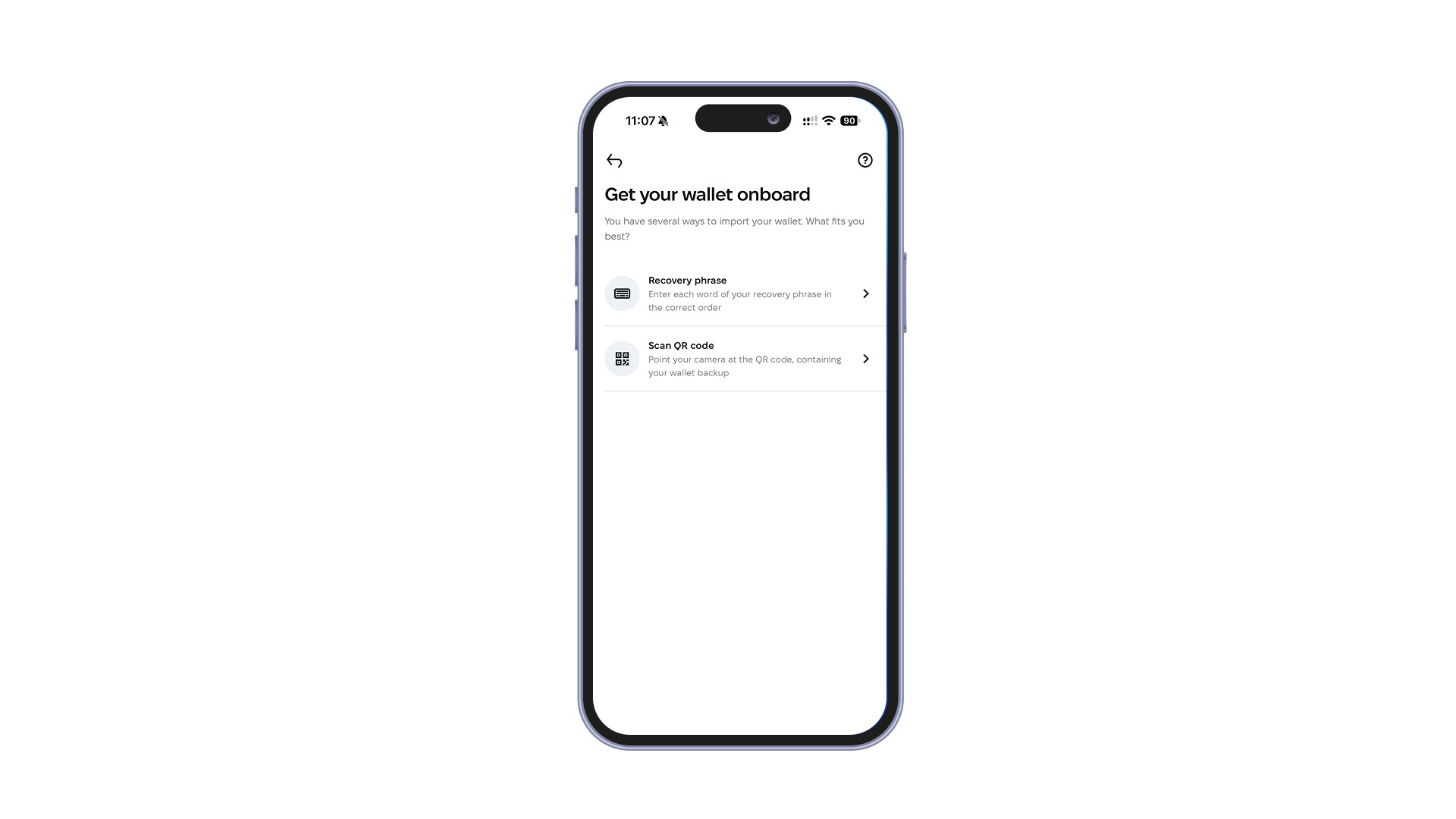
Plugging in a wallet you already use works a little differently. Tap Add existing wallet, then pick one of the available import options:
- Enter the recovery phrase and type it manually (Utapp supports 12, 15, 18, 21, and 24-word recovery phrases)
- Scan the QR code if you previously created via an encrypted QR backup in Utapp
Android users can also import their wallets from a compatible encrypted backup saved in Google Drive.
Once Utapp recognizes the wallet, it brings back its addresses and adds it to your wallet list. It’s also worth noting that if you create another wallet under the same verified Utapp user account, you won’t need to complete KYC again. The new wallet uses the same verification status and card access as your existing wallet.
Using multiple wallets across Utapp
When you have several wallets in Utapp, one of them is always active. In practice, that simply means the app uses the wallet you currently have open for the actions you take next.
If you switch from one wallet to another, Utapp switches the context with it. Send, receive, swap, and card top-ups will use the assets from the newly selected one . You don’t need to choose it again inside each feature.
This is especially important when topping up your crypto card. The crypto for the top-up always comes from the active wallet. So if the funds you want to use are in another wallet, switch to it first, then top up the card as usual.
You can also change how your wallets look after you’ve added them. Open wallet settings and go to Customize to rename a wallet, choose a different color, or pick another emoji. The color also changes the app’s accent when that wallet is active, which makes it easier to see which wallet you’re currently using.
This new feature gives you more room to organize your crypto without making your setup more complicated. Keep different wallets for different purposes and manage them all from Utapp by Utorg.